
LipDub localizes the video you already shot: translated, dubbed, and lip-synced in 80+ languages. From a 30-second ad to a multi-hour course library, all at broadcast quality.
1000+
10,000+
40+


What makes LipDub different
The same performance, in every language
Localize the ads and brand films you already shot into 80+ languages. From a 30-second ad to a full campaign, ready for every market in minutes.
Two ways to localize
Not every video needs the lips to move. Start with the voice. Add lip sync when the face is on camera.
AI Dubbing
Just the voice, now speaking the new language.
For content where you don’t see the mouth move: gaming, tutorials, voiceover, podcasts, screen recordings.
Lighter and lower costs.
AI Dubbing + Lip Sync
The voice plus the mouth to match. The same person, now fluent on camera.
For ads, courses, talking-head, and brand films, anywhere the face on camera is the point.
The full effect LipDub is known for.



For Developers (API)
HOW IT WORKS
From one video to every market


In progress...
WALL OF LOVE
Campaigns that went global


Everything on this page, available via API
Translate, dub, and lip sync programmatically, at scale. Localization inside your own product or pipeline, for the platforms and teams that want to build in it.
Let's answer some FAQ's
Don’t hesitate to reach out if you have any questions
What is LipDub?
LipDub is a video localization platform. You upload a video you already shot (or generated), and we bring it into every market with the original person on camera, the original voice cloned to each language, and broadcast-quality lip sync. Marketing teams, agencies, online education platforms, and creators use LipDub to take what's already working in one market into every market they want to grow.
How does LipDub work?
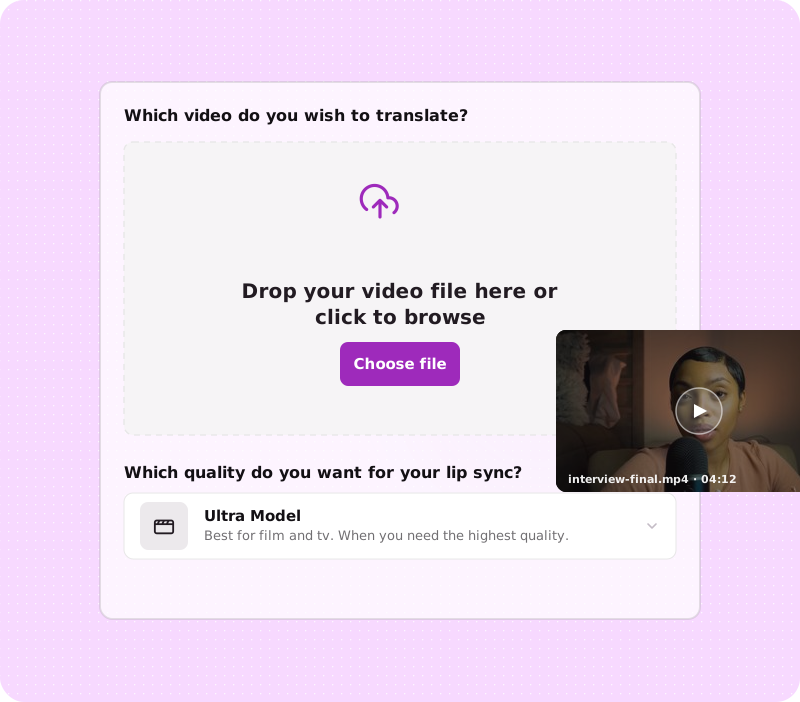
Five steps. Upload the video you already shot (or generated). Translate the transcript into 80+ languages (refine any line in the editor before anything else generates). Clone the original speaker's voice, or pick one from the library. Lip sync the mouth to the new words. Export broadcast-ready versions for every market.
What kinds of content does LipDub work best for?
Long-form video where the person on camera matters: ads, courses, podcasts, panels, brand video, instructor-led training, talking-head content. Simple production (talking head, two-person conversation, podcast-style) with broadcast-grade source footage where the speaker is clearly visible.
How many languages does LipDub support?
80+ languages out of the box, with native pacing. Beyond that, LipDub is language-agnostic: if you upload your own audio, we can sync it to human lips. That includes minority languages, dialects, accents, and fictional languages. We've even seen users lip sync singing choir voices!
Does it work with multiple speakers, side profiles, and camera movement?
Yes. Multi-speaker content (panels, podcasts, course conversations) gets a distinct voice clone and lip sync per speaker, and LipDub handles side profiles, movement, and wide shots.
Will it keep the original background music and sound effects?
Yes. LipDub re-adds the original music and effects, so the final cut sounds like the original, not a flat dub.
Is my footage used to train your models?
No. Your content remains yours, and LipDub does not use your video data for model training on paid plans.
How long does it take to localize a video?
End-to-end time scales with video length and model tier. Our Turbo Model generates one minute of new content in roughly 5 minutes end-to-end.
What video formats do you support?
MOV or MP4 files, using the H.264 codec or Apple ProRes (422, 422 HQ, 4444, or 4444 XQ). Resolutions from SD up to 4K, at standard frame rates (23.976, 24, 25, 29.97, or 30 fps), in the sRGB or Rec.709 colorspace. A few things aren't supported: variable frame rate (convert to a constant frame rate first), interlaced or anamorphic footage, HDR, and files with multiple video streams.
What's LipDub's maximum video length?
Up to 180 minutes per video. 30 GB per video on the platform, unlimited size via API. There is also no restriction on how many videos you can process concurrently.
How does voice cloning work? How much source audio do you need?
LipDub clones the original speaker's voice from approximately 10 seconds of source audio. The cloned voice carries the speaker's character into every target language. You can also choose from a library of stock voices if voice cloning isn't required for your use case.
Can I edit translations before generating the final video?
Yes. The translation editor lets you refine and preview any line of the translated script before audio or lip sync generation. Useful for brand-specific terminology, tone adjustments, and fixing transcription errors. You can also preview audio and check pronunciation before lip syncing your video.
Can LipDub localize avatar-source video?
Yes. If your source video was generated by an AI avatar tool (HeyGen, Synthesia, or elsewhere), LipDub can localize that footage into additional languages. We localize whatever video is there, real or synthetic.
Can I replace dialogue instead of translating it?
Yes, you can start a Dialogue Replacement project where you can either write text-to-speech or upload your own audio.
Can I control the tone or style of the translation?
Yes. A custom prompt lets you guide tone, formality, and word choice, so the translation matches your brand voice instead of reading like a literal translation.
Can I generate the voice with text-to-speech?
Yes. As well as cloning the original speaker or choosing from the voice library, you can generate the dubbed audio with text-to-speech.
